🎯 Why Voice Cloning Is the Final Piece of the AI Avatar Puzzle
You've configured your avatar's personality, given it long-term memory, it responds intelligently to your contacts… but it's missing something essential: your voice.
Voice is the most powerful emotional vehicle in human communication. Text can convince, but a voice creates a bond. When your AI avatar speaks with your own voice, the boundary between you and your digital double becomes almost invisible.
The use cases are concrete:
- Automated podcasts — produce episodes without recording manually
- Voice responses — your avatar answers the phone or in video calls with your voice
- Online courses — narrate training without monopolizing your days
- Personalized messages — send voice messages at scale
Voice cloning is no longer science fiction. In 2025, a few minutes of recording are enough to create a stunningly realistic voice clone. Let's see how it works.
🔬 How Voice Cloning Works
The technical pipeline
Voice cloning relies on three fundamental steps:
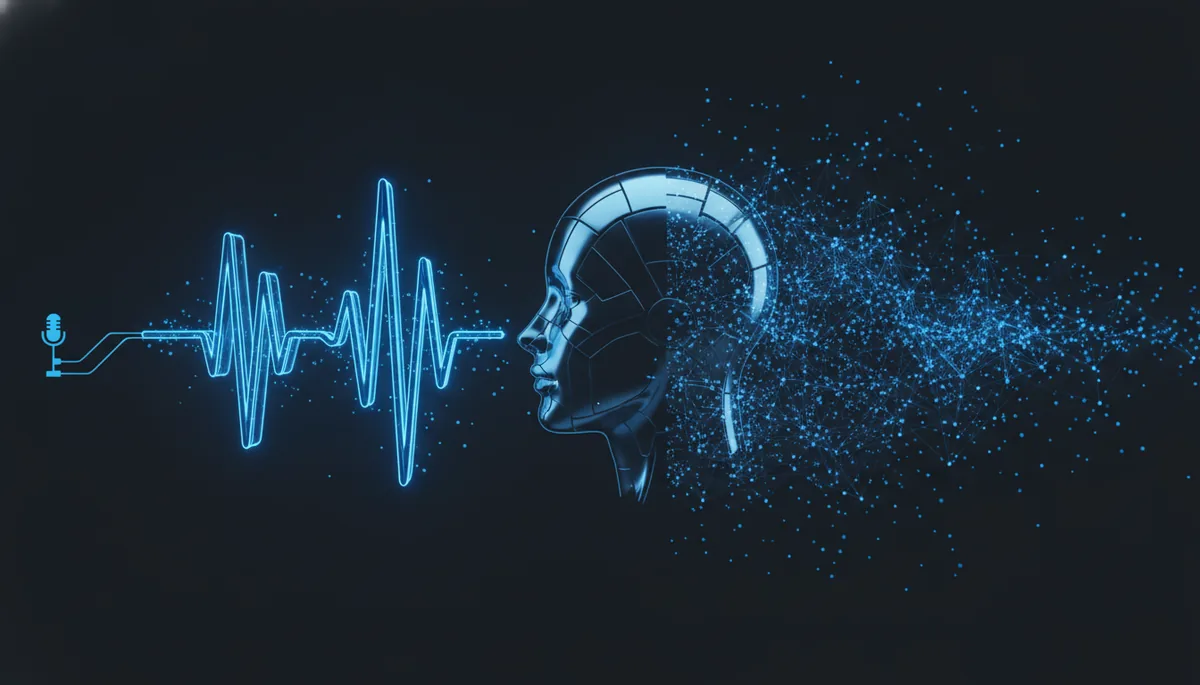
- Sample analysis — your voice is decomposed into spectrograms (visual representations of sound frequencies over time)
- Model training — a neural network learns the unique characteristics of your voice: timbre, prosody, rhythm, intonation
- Inference — the model generates speech from text by imitating your voice
The architectures behind cloning
Modern models primarily use two approaches:
| Approach | Principle | Examples | Quality |
|---|---|---|---|
| Zero-shot | Clones the voice from a few seconds of audio, without specific training | XTTS, Bark | Good, sometimes unstable |
| Fine-tuning | Trains a model specifically on your voice (minutes to hours of audio) | ElevenLabs Pro, Tortoise TTS | Excellent, very faithful |
Zero-shot is ideal for quick testing. Fine-tuning produces superior results for professional use.
Spectrograms and voice embeddings
In practice, your voice is converted into mel-spectrograms — 2D images where the X-axis represents time and the Y-axis represents frequencies. The model learns to reproduce these patterns to generate audio that sounds like you.
Recent models also extract a speaker embedding: a numerical vector that captures the essence of your voice in a few hundred dimensions. This vector is what enables zero-shot cloning with just a few seconds of audio.
🛠️ Voice Cloning Tools in 2025
Comparison table
| Tool | Price | Quality | Languages | Self-host | Zero-shot clone | API | Ideal for |
|---|---|---|---|---|---|---|---|
| ElevenLabs | Free (limited) → $5/mo+ | ⭐⭐⭐⭐⭐ | 29+ | ❌ | ✅ (30s min) | ✅ | Production, max quality |
| OpenAI TTS | $15/1M chars | ⭐⭐⭐⭐ | 50+ | ❌ | ❌ (pre-made voices) | ✅ | Quick integration |
| Coqui XTTS | Free (open-source) | ⭐⭐⭐⭐ | 17 | ✅ | ✅ (6s min) | ✅ (local) | Self-hosted, privacy |
| Bark | Free (open-source) | ⭐⭐⭐ | 13+ | ✅ | ✅ | Via code | Experimentation |
| Fish Speech | Free (open-source) | ⭐⭐⭐⭐ | 10+ | ✅ | ✅ | ✅ (local) | Lightweight XTTS alternative |
| PlayHT | $31/mo+ | ⭐⭐⭐⭐ | 142+ | ❌ | ✅ | ✅ | Massive multi-language |
Quick summary
- Best quality → ElevenLabs
- Best value → Coqui XTTS (free, self-hosted)
- Simplest → OpenAI TTS (no cloning, but natural voices)
- Most flexible → Bark (full control, but variable quality)
📋 Tutorial: Clone Your Voice with ElevenLabs
Step 1 — Create an account
Go to ElevenLabs and create an account. The free plan includes instant voice cloning with a minimum of 30 seconds of audio.
Step 2 — Prepare your audio samples
This is the most important step. The quality of your clone depends directly on your recordings.
Recommendations for optimal samples:
- Duration: minimum 1 minute, ideally 3-5 minutes
- Format: WAV or FLAC (avoid compressed MP3)
- Microphone: a decent USB mic will do (Blue Yeti, Rode NT-USB type)
- Environment: quiet room, no echo, no background noise
- Content: speak naturally, vary your intonations, include questions and statements
- Language: speak in your primary language of use
What to avoid:
- Background music
- Excessive mouth noises
- Monotone voice (the model will reproduce the monotony)
- Multiple speakers in the same file
Step 3 — Upload and create the clone
1. ElevenLabs Dashboard → "Voices" → "Add Voice"
2. Select "Instant Voice Clone"
3. Name your voice (e.g.: "My voice - Avatar")
4. Upload your audio files
5. Check the consent box
6. Click "Add Voice"
Cloning is nearly instantaneous. You can test immediately in the playground.
Step 4 — Test and adjust
Test with different types of text:
- Short sentences
- Long paragraphs
- Questions
- Emotional text
If the result isn't satisfactory, try:
- Adding more samples (up to 25 files)
- Cleaning the audio (remove silences, normalize volume)
- Using Professional Voice Clone (paid plan, requires 30+ minutes of audio)
Step 5 — Use via the API
import requests

ELEVEN_API_KEY = "your_api_key"
VOICE_ID = "your_cloned_voice_id"

def text_to_speech(text: str, output_path: str = "output.mp3"):
    url = f"https://api.elevenlabs.io/v1/text-to-speech/{VOICE_ID}"

    headers = {
        "xi-api-key": ELEVEN_API_KEY,
        "Content-Type": "application/json"
    }

    payload = {
        "text": text,
        "model_id": "eleven_multilingual_v2",
        "voice_settings": {
            "stability": 0.5,
            "similarity_boost": 0.75,
            "style": 0.3
        }
    }

    response = requests.post(url, json=payload, headers=headers)

    with open(output_path, "wb") as f:
        f.write(response.content)

    print(f"Audio generated: {output_path}")
    return output_path

# Usage
text_to_speech("Hello, I am your AI avatar and I speak with your voice.")
Key parameters:
| Parameter | Range | Effect |
|---|---|---|
stability |
0.0 - 1.0 | Higher = more consistent voice, less expressive |
similarity_boost |
0.0 - 1.0 | Higher = more faithful to the original |
style |
0.0 - 1.0 | Higher = more expressive (may reduce stability) |
🐸 Open-Source Alternative: Self-Hosted Coqui XTTS
If you prefer to keep total control over your voice data, Coqui XTTS is the reference open-source alternative. The original Coqui project closed, but the community actively maintains the XTTS model.
Installation
# Create a virtual environment
python3 -m venv xtts-env
source xtts-env/bin/activate

# Install dependencies
pip install TTS torch torchaudio

# Verify installation
tts --list_models | grep xtts
Requirements:
- Python 3.9+
- 8 GB RAM minimum (16 GB recommended)
- NVIDIA GPU with 6+ GB VRAM (optional but strongly recommended)
- ~2 GB disk space for the model
If you need a dedicated server to host your TTS service, Hostinger offers high-performance VPS with GPU at competitive rates — and you get 20% off through our link.
Clone a voice with XTTS
from TTS.api import TTS

# Load the XTTS-v2 model
tts = TTS("tts_models/multilingual/multi-dataset/xtts_v2")

# Clone and generate (zero-shot with a single audio file)
tts.tts_to_file(
    text="Hello, this is a voice cloning test with XTTS.",
    file_path="output_xtts.wav",
    speaker_wav="my_voice_sample.wav",  # Your audio file (6s minimum)
    language="en"
)

print("Audio generated successfully!")
Launch a local TTS server
# Start the API server (OpenAI-compatible)
tts-server --model_name tts_models/multilingual/multi-dataset/xtts_v2 \
           --port 5002

# Test with curl
curl -X POST http://localhost:5002/api/tts \
  -H "Content-Type: application/json" \
  -d '{
    "text": "Local TTS server test",
    "speaker_wav": "my_sample.wav",
    "language": "en"
  }' \
  --output test.wav
You now have a private TTS endpoint, with no cloud dependency, that you can integrate into your AI avatar.
🔗 Integrating TTS with Your AI Avatar
Voice cloning alone isn't enough — you need to integrate it into your avatar's pipeline. Here's the typical architecture:
User → [Text message]
              ↓
        AI Avatar (LLM)  ←  Memory + Personality
              ↓
        [Text response]
              ↓
        TTS Service (your cloned voice)
              ↓
        [Audio .mp3/.wav]
              ↓
        Send to user (chat, phone, widget)
Complete Python pipeline
import requests
import os

# --- Configuration ---
LLM_API_URL = "https://openrouter.ai/api/v1/chat/completions"
LLM_API_KEY = os.getenv("OPENROUTER_API_KEY")
TTS_API_KEY = os.getenv("ELEVENLABS_API_KEY")
VOICE_ID = os.getenv("VOICE_ID")

def get_avatar_response(user_message, conversation_history):
    # Get the avatar's text response via OpenRouter
    conversation_history.append({"role": "user", "content": user_message})

    response = requests.post(
        LLM_API_URL,
        headers={
            "Authorization": f"Bearer {LLM_API_KEY}",
            "Content-Type": "application/json"
        },
        json={
            "model": "anthropic/claude-sonnet-4-20250514",
            "messages": [
                {"role": "system", "content": "You are Nicolas's AI avatar. Respond naturally."},
                *conversation_history
            ]
        }
    )

    reply = response.json()["choices"][0]["message"]["content"]
    conversation_history.append({"role": "assistant", "content": reply})
    return reply

def text_to_voice(text, output_file="response.mp3"):
    # Convert text to audio with the cloned voice
    response = requests.post(
        f"https://api.elevenlabs.io/v1/text-to-speech/{VOICE_ID}",
        headers={
            "xi-api-key": TTS_API_KEY,
            "Content-Type": "application/json"
        },
        json={
            "text": text,
            "model_id": "eleven_multilingual_v2",
            "voice_settings": {"stability": 0.5, "similarity_boost": 0.75}
        }
    )

    with open(output_file, "wb") as f:
        f.write(response.content)

    return output_file

def avatar_vocal_reply(user_message, history):
    # Complete pipeline: message → text response → audio
    text_reply = get_avatar_response(user_message, history)
    audio_file = text_to_voice(text_reply)
    print(f"Response: {text_reply}")
    print(f"Audio: {audio_file}")
    return audio_file

# --- Usage ---
history = []
avatar_vocal_reply("Hi! How are you doing today?", history)
This pipeline uses OpenRouter to access the best LLMs (including Claude by Anthropic) and ElevenLabs for voice synthesis. You can easily replace ElevenLabs with your local XTTS server by changing the TTS API URL.
🎙️ Sample Quality: The Complete Guide
The quality of your voice clone depends 80% on your source recordings. Here are the golden rules:
Recommended duration
| Method | Minimum duration | Optimal duration | Result |
|---|---|---|---|
| ElevenLabs Instant | 30 seconds | 3-5 minutes | Good for testing |
| ElevenLabs Professional | 30 minutes | 1-3 hours | Excellent |
| XTTS zero-shot | 6 seconds | 30-60 seconds | Decent to good |
| Custom fine-tuning | 1 hour | 5-10 hours | Professional |
Recommended equipment
| Budget | Microphone | Approx. price | Quality |
|---|---|---|---|
| Minimal | Decent headset mic | $30-50 | Acceptable |
| Intermediate | Blue Yeti / Rode NT-USB Mini | $80-120 | Good |
| Pro | Rode NT1 + audio interface | $200-350 | Excellent |
| Studio | Neumann U87 + preamp | $2000+ | Reference |
Format and settings
Format: WAV or FLAC (uncompressed)
Sample rate: 44.1 kHz or 48 kHz
Bit depth: 16 or 24 bit
Channels: Mono
Normalization: -3 dB to -1 dB peak
Background noise: < -60 dB
Audio cleanup script
# With ffmpeg: normalize and clean a sample
ffmpeg -i raw_voice.wav \
  -af "highpass=f=80, lowpass=f=12000, loudnorm=I=-16:TP=-1.5:LRA=11" \
  -ar 44100 -ac 1 \
  clean_voice.wav

echo "Sample cleaned and normalized!"
⚠️ Current Limitations of Voice Cloning
Despite impressive progress, voice cloning has its limits:
Accents and particularities
- Regional accents are often smoothed out — a Southern drawl or British accent may be attenuated
- Personal speech habits are rarely faithfully reproduced
- Whispering and shouting remain difficult to clone
Emotions
- Joy and neutrality are well reproduced
- Anger, sadness, and sarcasm are more approximate
- Subtle emotional nuances are often lost
Multiple languages
- Speaking in a language different from the samples works (with multilingual models) but with reduced quality
- The accent from the source language often "bleeds through"
- Tonal languages (Chinese, Vietnamese) are the most challenging
Latency
- ElevenLabs: 200-500ms (streaming) — usable in real-time
- XTTS local (GPU): 500ms-2s — acceptable
- XTTS local (CPU): 3-10s — too slow for real-time
⚖️ Ethics and Legality of Voice Cloning
Voice cloning raises important questions that shouldn't be ignored.
Mandatory consent
Absolute rule: NEVER clone someone's voice without their explicit consent.
ElevenLabs and most platforms require confirmation that you have the right to use the uploaded voice. This isn't just a formality — it's a legal obligation in most jurisdictions.
Legal framework in Europe
- Voice rights are protected under privacy and image rights laws
- GDPR applies: voice is biometric data (Article 9, special category)
- The EU AI Act (2024) classifies vocal deepfakes as content requiring a transparency obligation — you must disclose that the voice is AI-generated
Risks of vocal deepfakes
- Fraud — identity theft by phone
- Disinformation — fake speeches attributed to public figures
- Harassment — non-consensual use of someone's voice
Best practices
- ✅ Only clone your own voice (or with written consent)
- ✅ Disclose that the voice is AI-generated when relevant
- ✅ Secure access to your voice model (API key, restricted access)
- ✅ Document the intended use of your voice clone
- ❌ NEVER use a voice clone to deceive or manipulate
💡 Concrete Use Cases
Automated podcasts
Write your episodes as text (or have them written by Claude), then convert them to audio with your cloned voice. You can publish a daily episode without ever touching a microphone.
Voice responses for your avatar
Your AI avatar can respond with your voice on:
- Social media (voice messages)
- Your website (voice widget)
- Messaging apps
Phone assistants
Create an AI phone system that answers with your voice. Callers feel like they're speaking directly to you, even when you're unavailable.
Training and e-learning
Narrate dozens of hours of courses without vocal fatigue. Modify the script and regenerate the audio in minutes.
Accessibility
Voice cloning can help people who have lost their voice (illness, accident) regain a synthetic voice close to their original — a deeply human use of this technology.
📊 Summary Table: Which Solution for Your Profile
| Profile | Budget | Skills | Recommended solution | Why |
|---|---|---|---|---|
| Curious / tester | $0 | Basic | ElevenLabs free | Quick test, top quality |
| Content creator | $5-22/mo | Basic | ElevenLabs Starter/Creator | Simple API, pro quality |
| Indie developer | $0 + server | Intermediate | Self-hosted XTTS | Full control, no limits |
| Startup / SMB | $50-100/mo | Intermediate | ElevenLabs Scale | Volume, robust API |
| Enterprise / compliance | Variable | Advanced | XTTS on private infra | On-premise data, GDPR |
| Researcher / experimental | $0 | Advanced | Bark + XTTS | Maximum flexibility |
For developer and enterprise profiles choosing self-hosting, a dedicated VPS with GPU is recommended. Hostinger offers suitable solutions with 20% off to get started.
🚀 Conclusion: Your Avatar Has Found Its Voice
Voice cloning is the missing piece that transforms a text chatbot into a true digital alter ego. Whether you choose the simplicity of ElevenLabs or the sovereignty of self-hosted XTTS, the tools are mature and accessible.
Key steps to get started:
- Record 3-5 minutes of your voice in a quiet environment
- Test instant cloning on ElevenLabs (free)
- Integrate the TTS API into your avatar's pipeline
- Adjust parameters (stability, similarity) based on usage
- If you need full control, migrate to self-hosted XTTS
Your AI avatar no longer just writes like you — it speaks like you. And that changes everything.
📚 Related Articles
- What Is an AI Avatar? The Complete Guide to Understanding — Start here if you're new to AI avatars
- Create Your First AI Avatar in 10 Minutes — The hands-on tutorial to create your first avatar
- Multilingual AI Avatar: Speak to Your Clients in Their Language — Go further with an avatar that speaks multiple languages