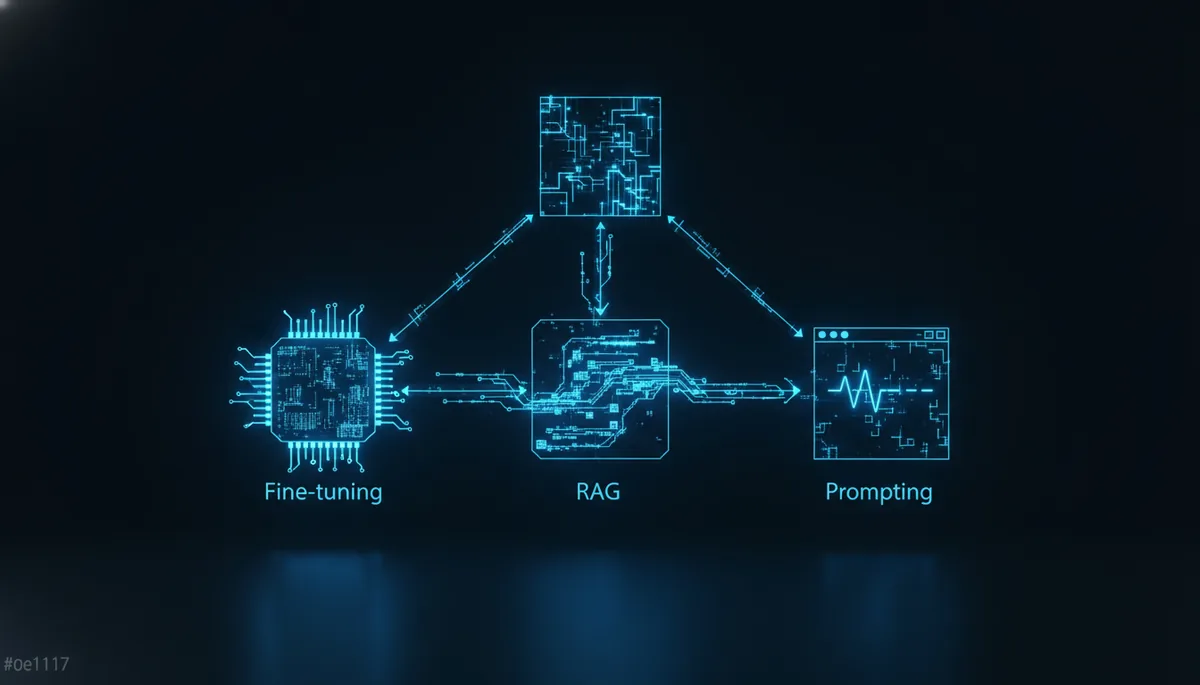
🌳 The decision tree: where to start?
Before diving into the technical details, here is the fundamental question:
Does the base model already give correct results with a good prompt?
- Yes, but not accurate enough → Improve your prompting (Section 1)
- No, it lacks specific knowledge → Implement RAG (Section 2)
- No, it doesn't understand the style/format/domain → Consider fine-tuning (Section 3)
To make this decision, start from your use case and ask yourself this first question: does the base model understand the task? If yes, check if the results are sufficient (in this case, stop there). If the results are not good, two reasons are possible: either it lacks knowledge (steer towards RAG), or it doesn't master the format or style (steer towards fine-tuning).
The golden rule: ALWAYS start with prompting
Advanced prompting is free (in terms of development), instant, and often sufficient. Do not skip this step.
| Approach | Start here if... |
|---|---|
| Prompting | Always. This is your starting point. |
| RAG | The model needs info it doesn't have (internal docs, recent data) |
| Fine-tuning | The model must adopt a specific style/behavior at scale |
🎯 Advanced prompting: the art of asking well
Why prompting is underestimated
80% of projects that think they need fine-tuning actually need a better prompt. Advanced prompting is much more than "ask your question clearly". It is an engineering discipline in its own right.
System prompt: your foundation
The system prompt defines the model's base behavior. It is the most powerful and underutilized lever. An effective system prompt must be structured into several sections: the precise role (e.g., expert in French tax law for SMEs), the expected response format (short answer, legal basis, recommendation), and the strict rules to follow (never invent information, flag uncertainties). Unlike a weak prompt like "You are a helpful assistant", a structured prompt firmly frames the model for reliable results.
Few-shot prompting: learning by example
Few-shot involves giving examples of input/output pairs to guide the model. For example, to classify support tickets, we provide two or three examples like: the ticket "My payment was debited twice" is classified in the billing category with a high priority, then we ask the model to classify a new ticket according to this same scheme.
Chain-of-Thought (CoT): making the model think
Chain-of-Thought consists of asking the model to break down its reasoning step by step before giving its final answer. This technique considerably reduces calculation and logic errors, because it forces the model to explicitate each intermediate step rather than jumping directly to the conclusion.
Structured output: controlling the format
Requesting a structured output (JSON, XML) improves reliability and reduces output tokens. For data extraction from an invoice, for example, we specify the expected JSON format with precise fields: invoice number (string), date (YYYY-MM-DD), customer (string), pre-tax amount (number), VAT (number) and total incl. tax (number). The model then returns a JSON directly usable by your code, without superfluous text.
When prompting is no longer enough
Prompting reaches its limits when:
- The model simply does not have the necessary knowledge (internal data, post-training info)
- You need a very specific style at scale (thousands of queries)
- The latency of few-shot is too high (too many examples = too many tokens)
- The consistency across thousands of queries is not sufficient
This is where RAG and fine-tuning come into play.
📚 RAG: giving knowledge to the model
The principle of RAG
RAG (Retrieval-Augmented Generation) consists of searching for relevant information in a database, then injecting it into the prompt before generating the response.
The process takes place in three consecutive steps. First, the user asks their question, which triggers a retrieval phase: the system searches for the most relevant documents in your document base. Next comes the augmentation phase: these relevant documents are added to the prompt as context. Finally, the generation phase: the LLM receives this enriched prompt and produces its answer based on the injected information.
Embeddings: transforming text into vectors
To search efficiently, texts are converted into vectors (embeddings) — numerical representations that capture meaning. Each text is transformed into a long list of numbers (for example, 1536 dimensions with OpenAI models). Two semantically close texts will have close vectors, which makes it possible to find the most relevant documents by calculating the cosine similarity between the vectors.
Vector databases: storing and searching
Vector databases make it possible to store millions of embeddings and find the closest ones in milliseconds:
| Vector database | Type | Price | Ideal for |
|---|---|---|---|
| Chroma | Open-source, local | Free | Prototyping, small projects |
| Pinecone | Managed cloud | $0.33/M vectors/month | Production, scalability |
| Weaviate | Open-source + cloud | Free → paid | Multimodal, flexible |
| pgvector | PostgreSQL extension | Free | If you already have PostgreSQL |
| Qdrant | Open-source + cloud | Free → paid | Performance, Rust-based |
| FAISS | Meta library | Free | Raw search, large volumes |
Complete RAG pipeline
A RAG pipeline takes place in three steps. First, indexing: each document is cut into chunks, transformed into an embedding via a model like text-embedding-3-small, then stored in a vector database like ChromaDB. Next, retrieval: for each user question, we generate the embedding of the question and search for the most similar chunks in the database. Finally, generation: the relevant documents are injected into the prompt as context, and the LLM generates its answer based solely on this information.
Chunking: cutting intelligently
The quality of RAG depends heavily on chunking (cutting documents). There are several approaches: fixed-size cutting (simple but can cut sentences in half), cutting by paragraphs or sections (which respects the document's structure), and semantic chunking (which uses a model to detect topic changes and cut at logical boundaries). This latter method offers the best quality but is more complex to implement.
| Method | Quality | Complexity | Use case |
|---|---|---|---|
| Fixed size | ⭐⭐ | Very simple | Prototyping |
| By paragraph | ⭐⭐⭐ | Simple | Structured documents |
| By section/title | ⭐⭐⭐⭐ | Medium | Documentation, articles |
| Semantic | ⭐⭐⭐⭐⭐ | Complex | Production, max quality |
When to use RAG
✅ RAG is ideal when:
- Your data changes frequently (news, product docs)
- You need to cite your sources (traceability)
- Your documents are too large for the context
- You want to keep the base model (no fine-tuning)
❌ RAG is NOT ideal when:
- The problem is the response style, not the knowledge
- You need ultra-low latency
- Your data is simple and fits in the prompt
🔧 Fine-tuning: customizing the model
What is fine-tuning?
Fine-tuning consists of re-training a pre-existing model on your own data so that it adopts a specific behavior. It's like giving private tutoring to the model.
Concretely, the process takes a pre-trained base model (like GPT-4o, Claude or Llama), and then submits your specific training data to it during a re-training phase. At the end of this step, you get a custom model that understands your domain and has adopted the expected response style. Be careful though: this "custom" model has a maintenance cost, since it often needs to be re-fine-tuned when the base model is updated.
Required data
Fine-tuning requires example pairs (expected input → output) in JSONL format. Each line contains a messages object with three roles: system (which defines the expected behavior, like "You are the XYZ store assistant"), user (the question or request), and assistant (the ideal response the model must learn to reproduce). You need enough of these pairs to cover varied use cases without the model memorizing them by heart.
How much data is needed?
| Objective | Minimum data | Recommended data | Time |
|---|---|---|---|
| Response style | 50-100 examples | 200-500 | 30 min - 2h |
| Specific domain | 200-500 examples | 1K-5K | 1h - 8h |
| Complex task | 1K+ examples | 5K-50K | 4h - 48h |
| New behavior | 5K+ examples | 10K-100K | 24h+ |
Fine-tuning costs
Here are the approximate costs as of mid-2025:
| Model | Training cost | Inference cost (input) | Inference cost (output) |
|---|---|---|---|
| GPT-4o mini | $3.00 / million tokens | $0.30 / M tokens | $1.20 / M tokens (2x the base price) |
| GPT-4o | $25.00 / million tokens | $3.75 / M tokens | $15.00 / M tokens (1.5x the base price) |
| Llama 3 (self-hosted) | GPU cost ($1-5/h on A100) | GPU cost only | GPU cost only |
Real-world fine-tuning use cases
- Corporate tone of voice: your chatbot speaks exactly like your brand
- Ultra-fast classification: fine-tune a small model to classify in 1 token
- Specific language/dialect: adapt to medical, legal, or technical jargon
- Cost reduction: a fine-tuned small model can replace a large generic model
Pitfalls of fine-tuning
⚠️ Beware of common mistakes:
- Catastrophic forgetting: the model "forgets" its general capabilities
- Overfitting: too little data → the model memorizes instead of learning
- Biased data: your examples transmit your biases to the model
- Maintenance cost: you need to re-fine-tune with each base model update
- Not magic: if the base model doesn't know how to do the task, fine-tuning probably won't help
📊 Comparison table: Prompting vs RAG vs Fine-tuning
| Criterion | Advanced Prompting | RAG | Fine-tuning |
|---|---|---|---|
| Initial cost | Almost zero | Medium (infra + embeddings) | High (data + training) |
| Cost per request | Normal | Normal + search | Often reduced |
| Setup time | Minutes/hours | Days/weeks | Weeks/months |
| Fresh knowledge | ❌ Limited to training | ✅ Real-time | ❌ Frozen at fine-tuning |
| Custom style | ⭐⭐⭐ | ⭐⭐ | ⭐⭐⭐⭐⭐ |
| Domain accuracy | ⭐⭐ | ⭐⭐⭐⭐ | ⭐⭐⭐⭐ |
| Traceability (sources) | ❌ | ✅ Citations possible | ❌ |
| Maintenance | Low | Medium (keep index up to date) | High (re-training) |
| Technical complexity | Low | Medium | High |
| Scalability | ✅ Immediate | ✅ Good | ⚠️ Dedicated model |
Combining approaches
The best solution is often a combination: an optimized system prompt (prompting) to which you add real-time injection of internal documents (RAG), all on a model fine-tuned to naturally adopt your brand's tone (fine-tuning). These three stacked layers give the best possible result.
Concrete example: a customer support chatbot
1. Prompting: system prompt with the conversation rules
2. RAG: search in the knowledge base / FAQ
3. Fine-tuning: the model naturally adopts the brand tone
🗺️ Practical guide: which approach for which project?
| Project | Recommendation | Why |
|---|---|---|
| Corporate FAQ chatbot | RAG + Prompting | Internal knowledge + controlled format |
| Marketing writing | Prompting (few-shot) | Style controllable by examples |
| Contract analysis | RAG + Prompting | Long docs + structured extraction |
| Internal code assistant | RAG (codebase) + Prompting | Knows your code, flexible response style. To choose the right model, check out our guide to the meilleurs LLM pour coder. |
| Email classification (volume) | Fine-tuning (small model) | High volume, reduced cost per request |
| Specific domain translation | Fine-tuning | Specific jargon to learn |
| News monitoring | RAG (RSS feeds) | Daily fresh data |
| Autonomous agent | Prompting + RAG | Max flexibility, access to your tools. To select the model suited for this use case, see our comparison of the meilleurs LLM pour les agents IA. |
🚀 Where to start concretely?
Step 1: Optimize your prompts (Day 1)
To structure your prompting work, check these points: is your system prompt structured with a role, rules, and a clear output format? Have you added 3 to 5 few-shot examples for recurring tasks? Have you specified format instructions (JSON if possible)? Are guardrails in place ("do NOT...", "if unsure, say so")? Finally, have you tested on at least 20 varied cases?
Step 2: Evaluate if you need more (Week 1)
Ask yourself these five evaluation questions: does the model have the necessary knowledge (if no → RAG)? Is the response style acceptable (if no → fine-tuning)? Are the responses accurate enough (if no → RAG or fine-tuning)? Is the cost per request acceptable (if no → fine-tuning on a small model)? Is the latency acceptable (if no → fine-tuning or caching)?
Step 3: Implement progressively (Weeks 2-4)
- RAG: start with ChromaDB locally, migrate to a managed service if it works
- Fine-tuning: start with 100 examples on GPT-4o mini, iterate
The key takeaways
- Always start with prompting: it's free, immediate, and solves 80% of use cases.
- Move to RAG when the model lacks specific knowledge (internal docs, recent data).
- Consider fine-tuning only for style, tone, or a highly specialized domain at scale.
- Combine approaches for ambitious projects: prompting + RAG + fine-tuning give the best results.
Recommended tools
- Prompting: your provider's playground (OpenAI, Anthropic), or Claude, GPT, Gemini, Llama : quel modèle choisir en 2026 ? to compare models.
- RAG: ChromaDB (prototyping), Pinecone (production), pgvector (if you already have PostgreSQL).
- Fine-tuning: OpenAI's fine-tuning APIs, or open-source models like Qwen3.6 : Alibaba débarque avec une nouvelle famille de modèles LLM for self-hosting.
- Free models: to reduce costs during the testing phase, you can also check out our page dedicated to the meilleurs LLM gratuits.
Conclusion
Choosing between prompting, RAG, and fine-tuning is not a question of technical level, but of strategic common sense. Too many teams jump straight to fine-tuning or RAG when a better-structured prompt would have been enough. Conversely, others persist with prompting while their internal data remains inaccessible to the model.
The method is simple: optimize your prompts first, measure the gaps, and then add only the necessary complexity. In 2025, tools are mature and costs have dropped — there is no longer any excuse not to test iteratively.
If you want to go further in understanding costs (tokens, context window, billing), our article on facturation des LLM will be useful to you. And to avoid invented responses from your model, la méthode phi_first permet de détecter les hallucinations en un seul token. Finally, if your project involves image analysis, check out our guide on vision IA pour analyser des images avec les LLM.
```